

In this ultimate guide to tailoring Salesforce Public Sector Solutions (PSS) to meet your organizational challenges, our Lead Salesforce Public Sector Trainer at Revolent, Gaurav Kheterpal, will cover everything you need to know about implementing PSS or migrating an existing Salesforce cloud over.
About Gaurav
Gaurav has delivered Salesforce training in more than 17 countries, with specialisms in Commerce Cloud, MuleSoft, and Salesforce Industries. Among a list of impressive professional accomplishments during a career, spanning almost two decades, Gaurav has led teams across multiple large and complex Public Sector Solutions implementations encompassing a number of use cases including Grants Management, License & Permits, Benefits Management and others.
- Salesforce Certified Trailhead Academy Instructor
- 75x Salesforce Certified
- 17 years of experience working with Salesforce orgs
- One of the top 3 Salesforce credentialed experts globally
Use the links below to jump to navigate to the section most relevant to your organization:
- Why should your organization implement Salesforce Public Sector Solutions?
- What will your Salesforce Public Sector Solutions implementation journey likely look like?
- Choosing a Salesforce Public Sector Solutions plan that’s right for your organization
- How long will the Public Sector Solutions implementation take and what are the key stages?
- Migrating to Public Sector Solutions (if you’re using a different Salesforce cloud already)
- What Salesforce Public Sector skills will you need on your team, and how best to acquire them?
- Configuring Salesforce Public Sector Solutions to meet your organization’s needs
- Equipping your team with the Salesforce Public Sector Solutions skills you need
Why should your organization implement Salesforce Public Sector Solutions?
Society is only going to become more digitized, and investing in the enhancement of agencies to deliver services now will put our public sector institutions in a better position to adapt and adjust in a world where change is increasingly the only constant.
Whether you work for social services, a federal or government agency, a local council, or emergency services, smart digital tools like Salesforce Public Sector Solutions (PSS) can completely transform your organization’s service delivery by providing:
- better customer experience for your constituents
- more effective and streamlined processes for your employees
- automated workflows, saving your organization’s time and money
But given the unique challenges that public sector organizations like yours face when undergoing digital transformation, what’s the most efficient and cost-effective way to implement PSS? While modernizing sprawling public sector legacy systems can be a daunting task, Salesforce PSS is designed to be easy to deploy and simple to innovate with.
What tools does PSS offer?
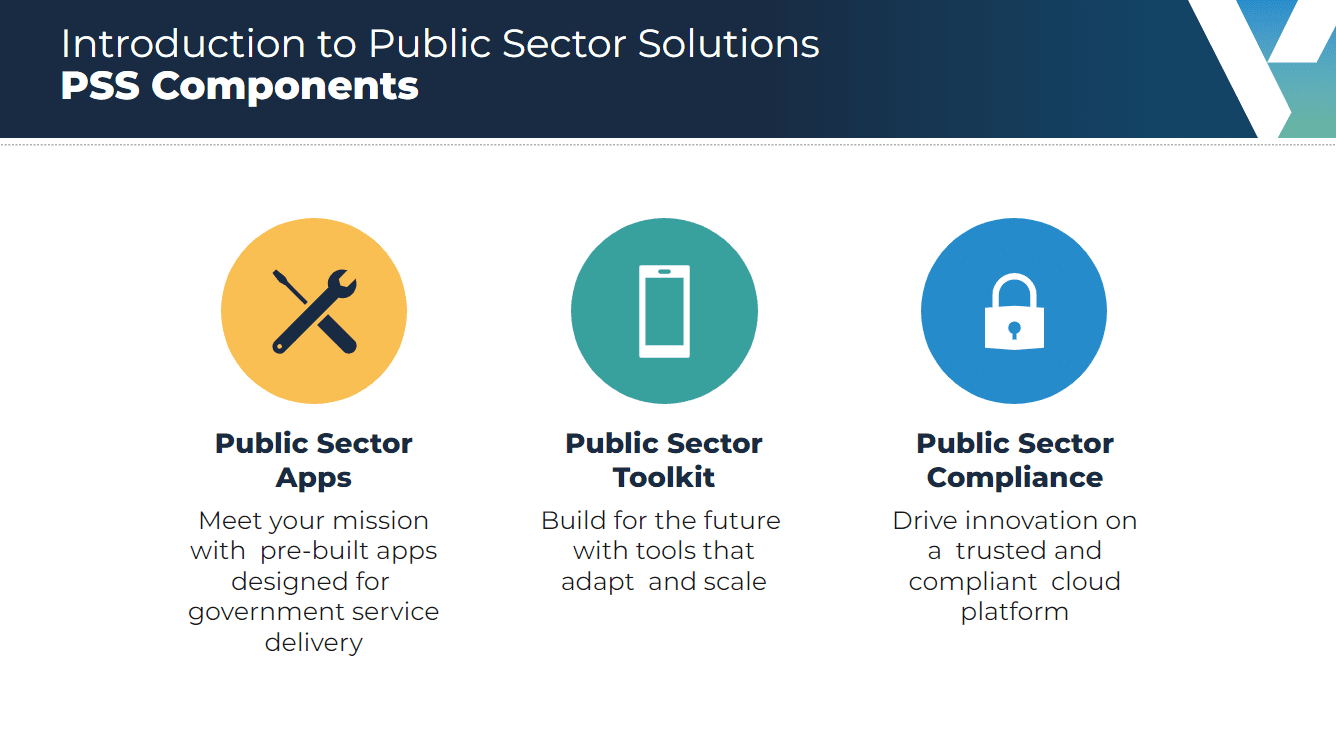
Built specifically to help public sector organizations like yours achieve quicker and more efficient case management, Salesforce PSS can deliver adaptable and scalable tools to your teams across a range of areas, including:
- License and permit management
- Inspections management
- Grants management
- Emergency program management
- Benefit management
Your employees can get started and quickly get up-to-speed, using the built-in apps, templates, workflows, and data models, created specifically for public sector organizations.
What level of configuration is available in PSS?
No two public sector agencies are alike, of course, in terms of their processes, goals, or objective. And PSS can offer all of them the building blocks they need to create a tailored solution without custom coding. The all-powerful no-code toolkit means that you don’t necessarily need someone with coding skills on your team to be able to tailor PSS.
With a huge collection of components and pre-built applications available on PSS, you can easily build a solution that addresses the specific requirements of your organization’s mission. This powerful combination of functionality and flexibility has the potential to transform service delivery on both sides of the desk.
How does the solution work in practice?
The solution can help you digitize forms and processes with a feature that converts paper-based documents into digital records in just a few clicks, enabling the fast digitization of important historical data and eliminating the need for your employees to manually rebuild existing forms.
And to supercharge efficiency, Salesforce PSS harnesses smart automation, with tasks like case assignment, tracking, and benefit eligibility determination handled automatically without the need for manual intervention.
Does PSS have the necessary features to store and process sensitive and confidential data?
Of course, any federal or government solution is bound to be packed with sensitive and personally identifiable information. Which is why advanced security features are abundant in PSS, ensuring that your organization can comply with any data or privacy regulations that are applicable to you.
What will your Salesforce Public Sector Solutions implementation journey likely look like?
Revolutionizing public sector service delivery is never an easy task. Complex, wide-ranging, and essential, the services you provide are vital to your users. Although that can make it more challenging to overhaul your existing processes, it’s also the very reason that your services deserve to be improved. The good news is that Salesforce PSS aims to make this digital transformation journey as easy and straightforward as possible.
Let’s take a look at a typical implementation journey for an organization adopting PSS, and the type of questions that may come up.
Choosing a Salesforce Public Sector Solutions plan that’s right for your organization
There are currently two PSS plans available: Public Sector Foundation and Public Sector Foundation—Advanced with additional features. For full details on the licensing and costs, head over to the Salesforce Public Sector Solutions Pricing page.
How long will the PSS implementation take and what are the key stages?
Since every public sector agency is different, the exact timeline of your implementation will depend on a number of factors that you’ll need to consider. These include:
- the size of your organization
- the amount of data you have to migrate
- whether or not you’re already using Salesforce
- the number of legacy systems in your current tech stack
Just to give you a rough idea, if you work for a smaller public sector institution, your implementation could take anywhere from a few weeks to a few months. If you work for a larger organization with more complex requirements, your PSS implementation timeline could be considerably longer.
However large or small the project though, your PSS implementation journey will likely follow these same key steps:
- Get your key stakeholders together and outline the goals you want to achieve, as well as the pain points you want to eliminate with PSS
- Speak to your staff and service users (essentially, anyone who will come into contact with the new system) to define specific requirements and necessary functionality, and prioritize these
- Connect with a Salesforce implementation partner to build, test, and deploy your new PSS solution
How to migrate to Public Sector Solutions (if you’re using a different Salesforce cloud already)
Salesforce is evolving all the time. Prior to PSS being released, many government and federal agencies used other, more generic Salesforce clouds to track cases and deliver their services.
If that’s you, the good news is that existing Salesforce customers who currently use products like Health Cloud or Service Cloud can migrate over to PSS. Service Cloud users can implement PSS simply by swapping their product licenses over, unless there are any specific migration requirements that require data to be transferred. For example, due to the complexity and regulations around healthcare data, migrating from Health Cloud may involve a few more steps.
If you use a different Salesforce cloud, you can also augment any existing Salesforce licenses with PSS licenses and use them alongside one another in the same organization. This means that some of your users can stick with Sales Cloud or Service Cloud, while other colleagues with more specific job requirements can use PSS. It’s important to note, however, that the availability and process of switching to another product can vary depending on your specific contract and agreements with Salesforce.
So, if you’re looking to migrate to PSS, it’s best to contact Salesforce support or your Salesforce account executive to discuss your requirements and find out more about swapping licenses between different products.
What Salesforce Public Sector skills will you need on your team, and how best to acquire them?
If you choose to use a Salesforce Partner to help you implement PSS, you’ll have access to skilled professionals who’ll get you up and running, and configure your solution to suit your needs. Often, these experts are project managers, Salesforce consultants, and possibly Salesforce developers.
But what happens after implementation? Salesforce PSS requires fine-tuning and maintenance to keep it operating at peak performance, so it’s a good idea to have a Salesforce professional on your team to manage this upkeep going forward. Plus, as your organization’s needs and objectives evolve, a Salesforce professional can help you tailor this highly configurable solution to your changing requirements.
So, you’ll need to think about recruiting someone with Salesforce management skills who is able to support users, manage data, maintain security measures, and deliver analytics. Experience with PSS will also be extremely useful, as there are many customizable aspects included that are specific to this particular solution. This isn’t an absolute essential, however, as specialist cloud training programs like ours, co-designed with Salesforce, can get Salesforce professionals up to speed on PSS in a matter of weeks.
If you don’t have access to these types of candidates in your recruitment pool, we can also help you find the Salesforce specialists you need for your implementation at cost-effective rates. Find out more on this page.

How to tailor Salesforce Public Sector Solutions to meet your organization’s needs
Built on the Salesforce platform, PSS is designed for ease of use, so you can get your service delivery processes running quickly without the need for complex configurations.
At the core of PSS is all the functionality that Salesforce does best:
- providing a 360-degree view of your user-base through effective relationship management
- tools to aid collaboration between departments
- better integration
- data insight capabilities
These features will give your organization a full view of your constituents and their data securely, giving your employees the tools and information needed to serve them more effectively.
PSS also includes a suite of no- and low-code tools to help your organization automate what would traditionally be manual or paper-based tasks like reviewing and approving applications, as well as calculating complex policy decisions.
Other components allow the creation of dynamic digital forms that constituents can access, fill out, and submit through a public portal.
However, if you’re looking to create bespoke workflows and tweak the product to your organization’s specific needs, PSS provides all the building blocks you could ever need to construct a solution that works for your employees and constituents, safe in the knowledge that all units integrate seamlessly, offering a secure and scalable solution.
Let’s take a look at some of the apps and additional units available to help you tailor your service offerings and build the solution your people need.
Use the links below to jump to the PSS features that are most applicable to your organization:
License and Permit Management
Licenses and permits are an important element of many public service organizations. And by putting the power to submit applications online in the hands of your constituents can save your organization loads of time and resources.
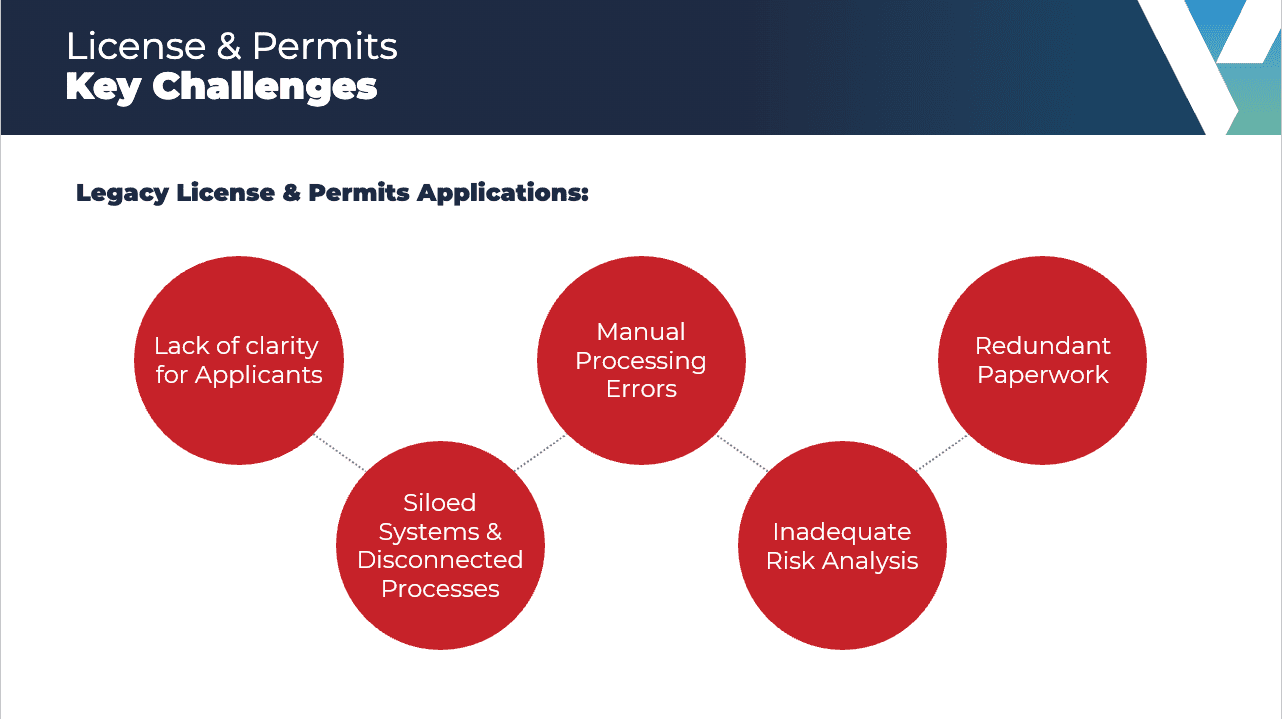
To name a few benefits:
- your applicants will no longer need to collect or post a physical document
- in turn, such documents don’t need to be manually processed when they’re returned
- a more user-friendly experience for both your employees and constituents
- cost-effective and environmentally friendly
If you opt to include the pre-built License and Permit Management app in your PSS platform, you will be able to publish dynamic forms through an online public portal. Through this self-service portal, your constituents can submit and track applications for both individual and business licenses and permits.
Any employees who use this feature can also publish dynamic forms on a public portal, where your constituents can easily submit and track applications for individual licenses and permits (for example, city parking or hunting), and business-related authorizations (like the ability to serve alcohol, play music in public, or put on an event).
You will also be able to set up powerful automations that will automatically approve or reject applications based on pre-determined rules and dependencies, ensuring integrity and consistency in the license-granting process.
Self-service tracking of applications also significantly streamlines the process, removing the need for your staff to handle calls or visits checking in on progress. Instead, automated notifications can be issued to an applicant whenever the status of their application changes.
And with automation, straightforward applications can be approved or denied autonomously, getting your constituents answers they need more quickly, and freeing up your employees’ time to focus on dealing with more complex situations.
Inspection Management
The Inspection Management app in PSS is designed to help your organization do the following:
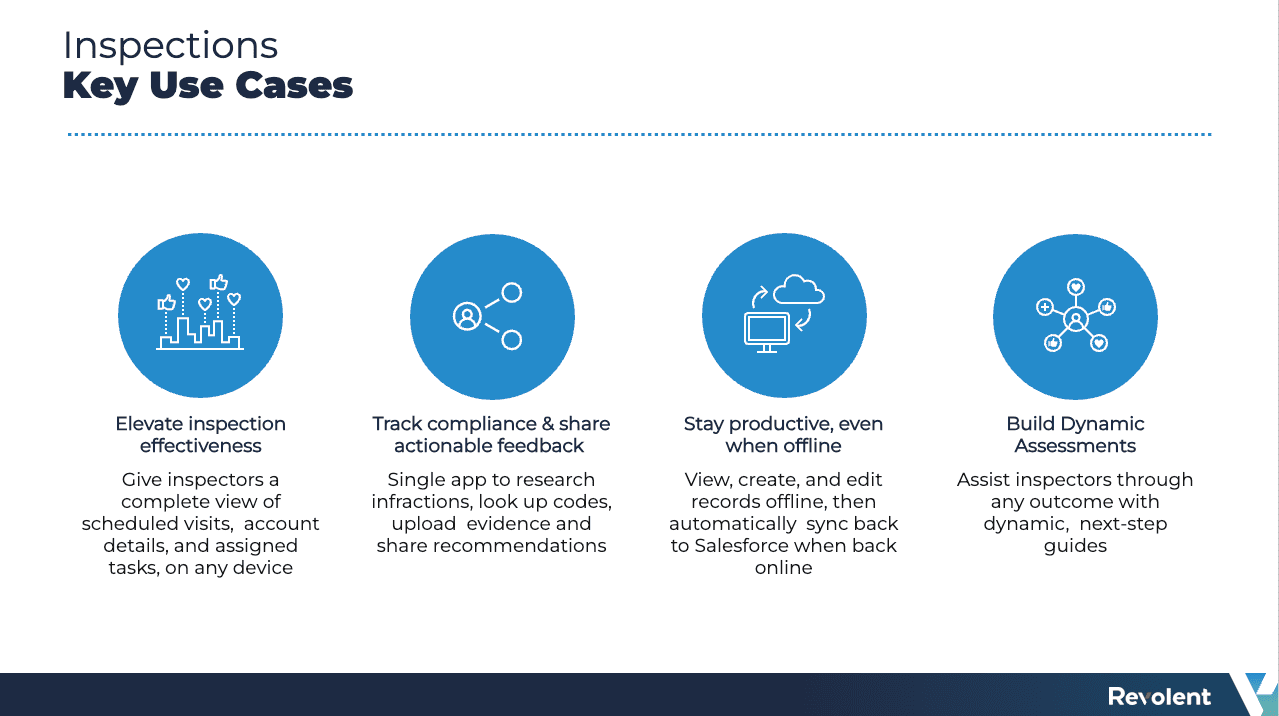
The app pulls together information such as details of scheduled visits, related accounts, application statuses, and relevant regulatory code for easy lookup while your inspectors are on the job. What’s more, checklists and task assignment workflows will also help your employees manage their workloads and complete all required assessment steps. Post-inspection reporting is also streamlined, with the ability to upload photos and notes, and instantly share recommended actions or next steps with your constituents.
Designed for effective on-site use, there are desktop and mobile versions of the Inspection Management app available. What if an inspection is taking place in a location with poor connectivity? No problem, as the app has the innate ability to create records offline and sync later.
Processing inspections through this optional unit will help boost your inspection team’s productivity and remove information silos, so your employees can get through inspection backlogs faster. A more efficient inspection process also improves compliance and public safety, reducing your long-term costs associated with rectifying any issues that arise.
Grantmaking
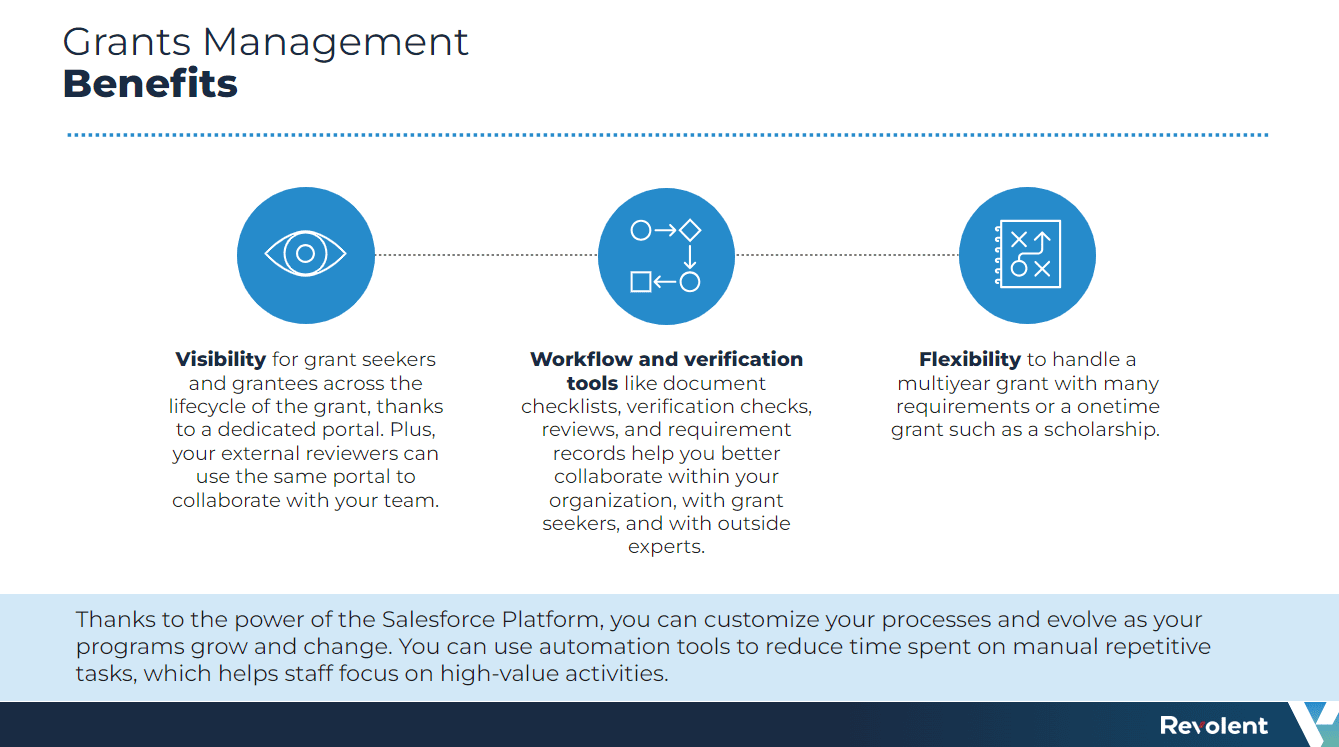
The Grants Program Management app is an optional add-on that allows your organization to track, manage, and distribute grants easily. So, if your organization deals with grant assessments, it’s definitely worth adding this feature to your PSS arsenal!
Featuring a single, unified interface for the entire funding lifecycle, this app will help you simplify the qualification of applications and get funding where it’s needed, faster. Its powerful reporting functionality will also allow your organization to track the status of grants, so your employees can make more informed decisions.
At the grantseeker’s end, they’re able to easily find funding opportunities, apply for them, and track progress, reducing the time your employees would need to spend consulting with and updating potential applicants.
Naturally, getting public money into the hands of community schemes and organizations faster can have a massive impact on constituent satisfaction. And making it easier for people to access grants can also minimize potential environmental or social issues that could cost more to fix further down the line: as the saying goes, an ounce of prevention is worth a pound of cure.
Emergency Program Management
We’ve all seen the harrowing consequences of poor crisis management. With environmental emergencies on the rise, principalities need to be able to respond quickly and effectively to protect their constituents.
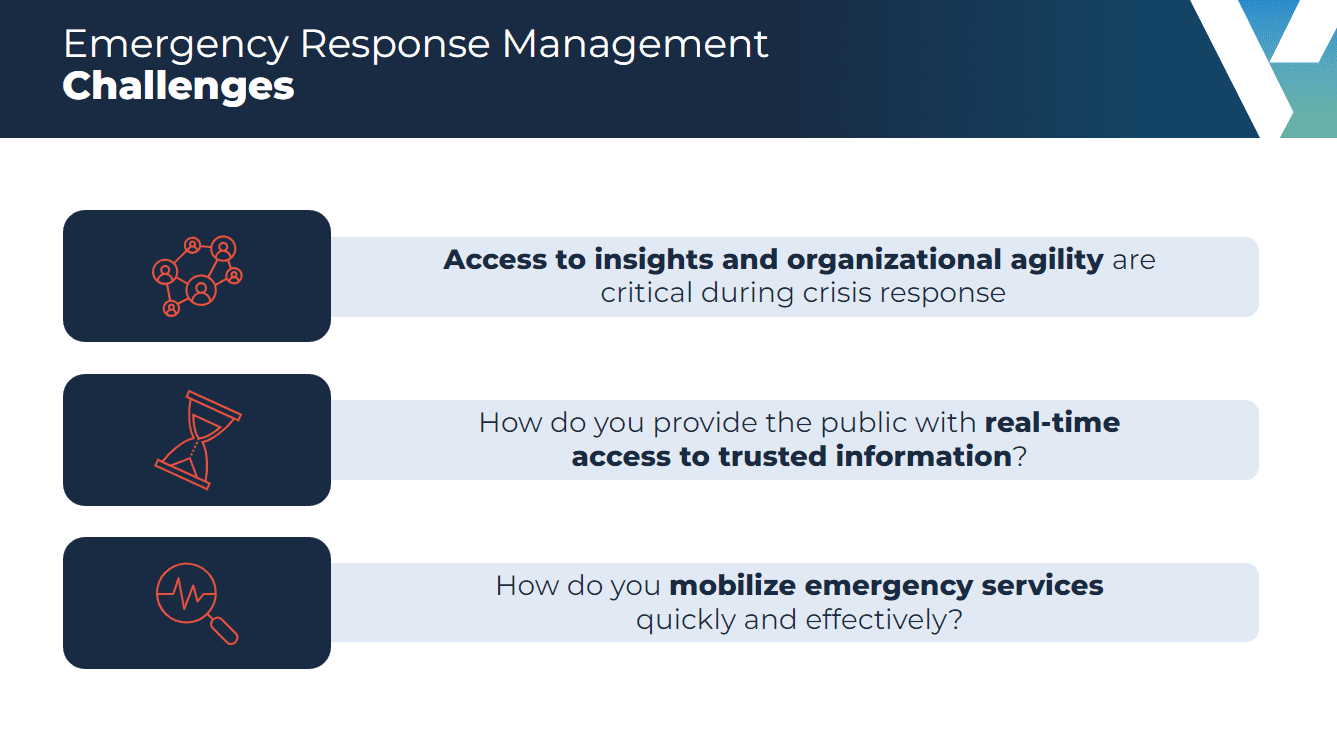
Going beyond convenience and cost savings, the optional Emergency Program Management app can vastly improve your crisis management capabilities and even save lives.
The app will equip your organization with the data and tools you need to prioritize and mobilize critical resources during times of crisis, all while providing a single source of truth for real-time updates via a public portal.
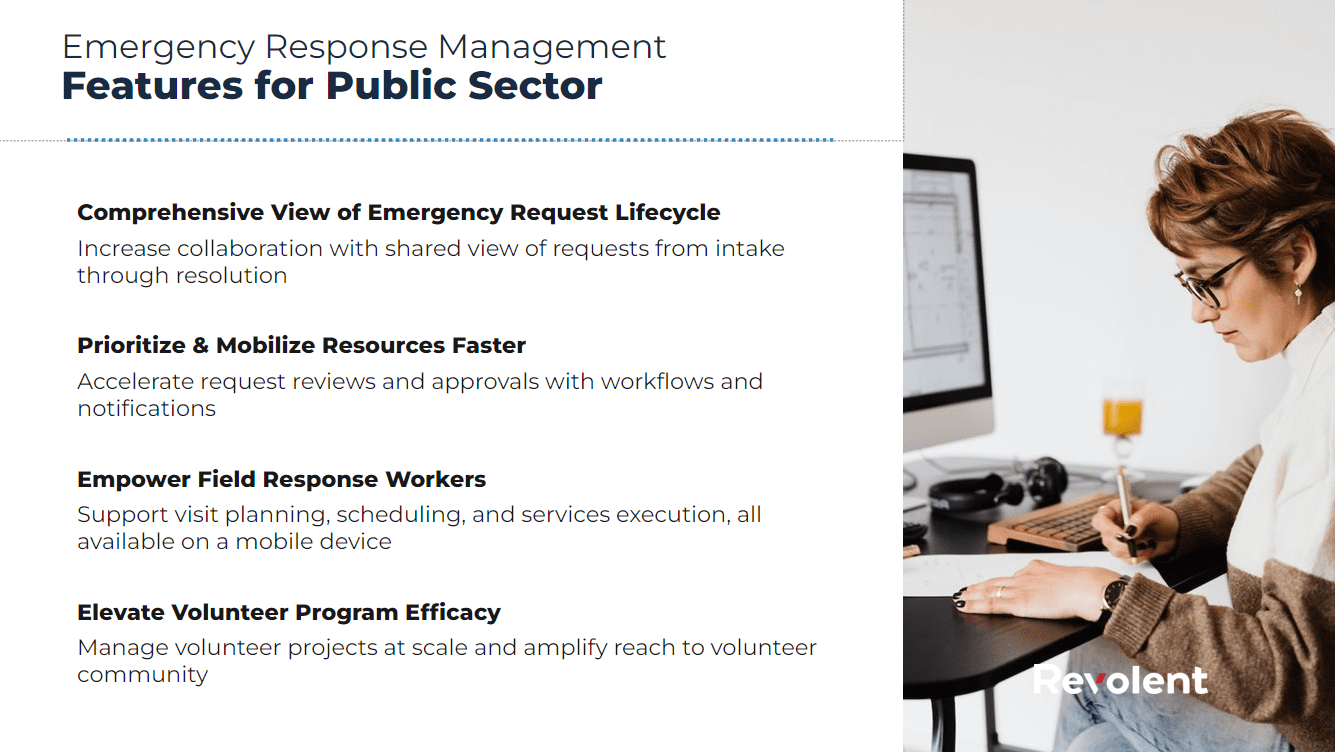
Online applications for emergency services and aid can also be submitted through the app, allowing them to be processed and addressed more effectively. For example, in the case of an extreme weather event, your constituents can use the online portal to apply for food assistance deliveries. They can also track the progress of their request while keeping up-to-date with the latest advice.
Using the power of automation, their applications can be approved and moved forward quickly. Meanwhile, the unified data model will surface key information for your field response workers, allowing them to plan, track, and schedule service delivery through a mobile app.
With collaboration tools and notifications, volunteer organizations will also be unified and streamlined to get boots on the ground where they’re most needed, minimizing damages caused by emergency events and keeping people safe.
Employee Experience
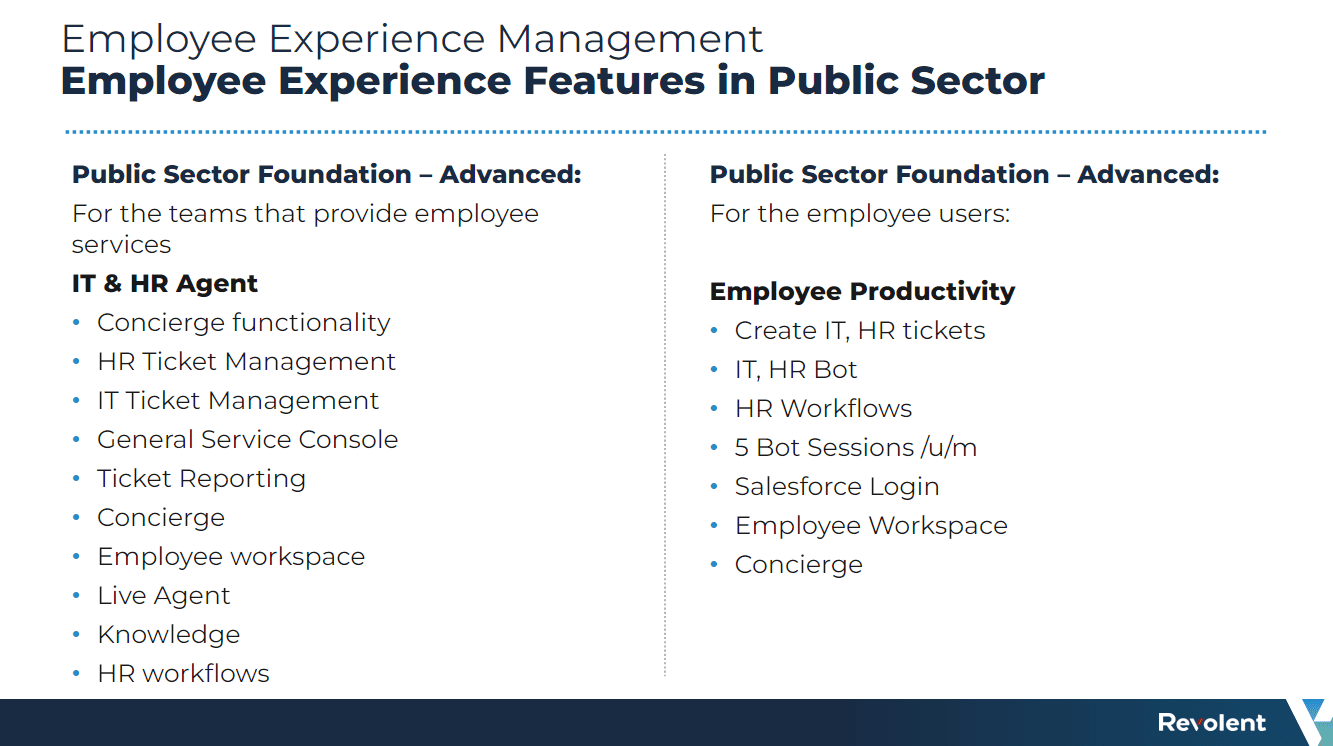
Offering further options to tailor and enhance public service delivery, the Employee Experience module will give your agency employees the power to streamline processes and work more efficiently at the back-end.
Acting as a unified, digital administrative hub for your public service workplaces, Employee Experience will simplify your internal processes, so your employees can spend less time on admin and more time on working for the people you serve.
With the help of this powerful tool, your employees will be empowered to effortlessly create custom digital forms, automate workflows for service requests, and access self-service HR and IT resources in one secure, scalable place, saving your organization’s time and improving your teams’ overall productivity levels.
Customer Portals
We’ve mentioned a few use-cases for customer portals so far. However, it’s worth noting further that these self-service online hubs can be tailored to deliver almost any service to your constituents.
Using the OmniScripts tool, dynamic application forms can be added to the portal to allow your constituents to apply for services, permits, or any other kind of assistance, and collect relevant data. Once a form is submitted, automated workflows can be set up to direct the application to the appropriate contact within your organization for approval and create a care plan with bespoke goals and next steps, as well as notify any other agency that might need to be involved.
To provide additional support to your constituents, you can also use Chatter feeds and discussion spaces within the portal, where your employees can engage directly with your service users.
CRM Analytics
CRM Analytics is an optional add-on that offers a range of pre-built dashboards that can be configured to provide the insights your organization needs most to improve your services and adjust support. For example, you can use this tool to analyze the time it takes to approve an application or how often violations are uncovered during inspections.
This app also uses predictive analytics to help you get ahead of potential issues and predict upcoming needs to anticipate and better serve your constituents.
Intelligent Document Reader
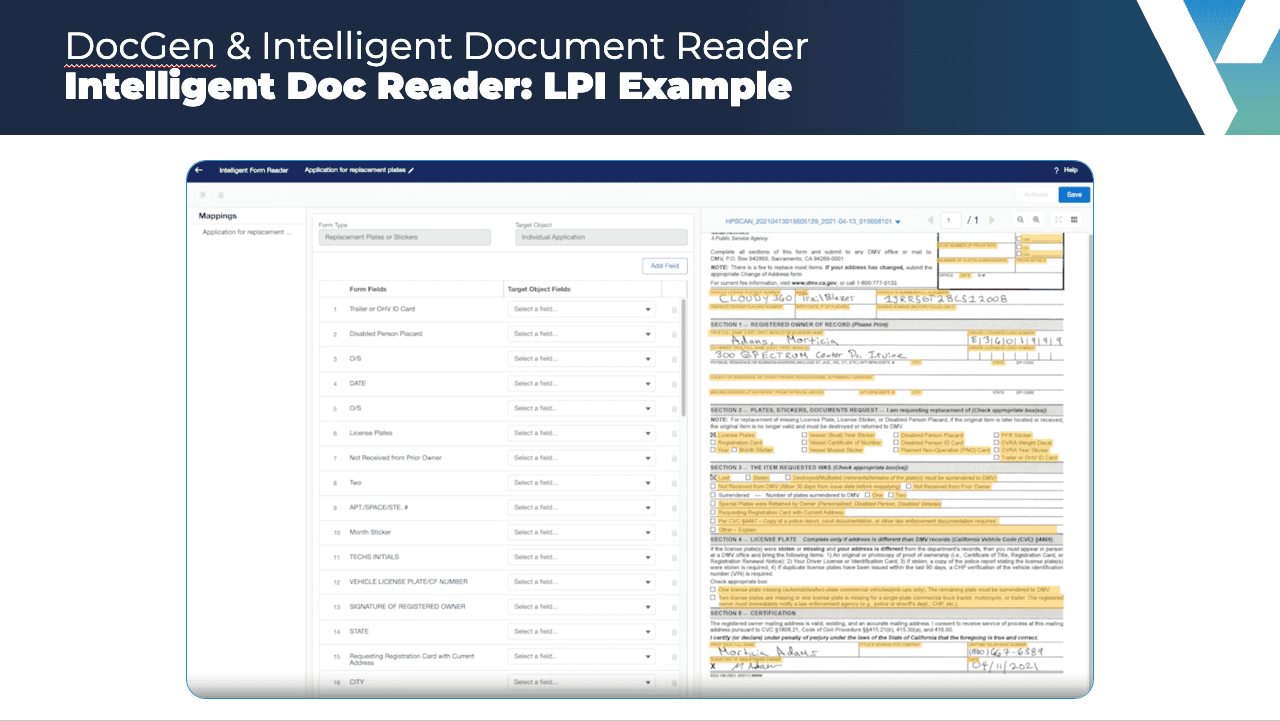
Using OCR technology, Intelligent Document Reader extracts data from paper-based forms and documents and digitizes them for use within Salesforce records. Here’s an example of this feature in action:
How to equip your team with the Salesforce Public Sector Solutions skills you need
If you need Salesforce talent to help you make the most of your Public Sector Solutions implementation, we can help.
Whether you want to help existing team members get to grips with the platform, or you’re looking for net-new talent with relevant public sector experience and Government security clearance to upskill in PSS and implement this Salesforce cloud for you, we have you covered.
